Listen to this Article
Classroom visual schedules are one of the simplest ways to make a school day feel more predictable for neurodivergent students. For autistic children, children with ADHD, speech delay, sensory needs, anxiety, or developmental differences, spoken instructions can disappear quickly in a busy classroom. A visual schedule gives the child something steady to look at, understand, and return to.
This matters because classrooms are becoming more inclusive, and teachers need practical tools that support learning without singling a child out. CDC’s latest ADDM data reports that about 1 in 31 children aged 8 years has been identified with autism spectrum disorder in the United States, while WHO notes that autistic people often have differences with social communication, transitions, sensory responses, and routines.
A classroom visual schedule is not a medical treatment or a replacement for therapy. It is a structured support tool. When used consistently, it can help students understand what is happening now, what comes next, and what they are expected to do.
What is a Classroom Visual Schedule?
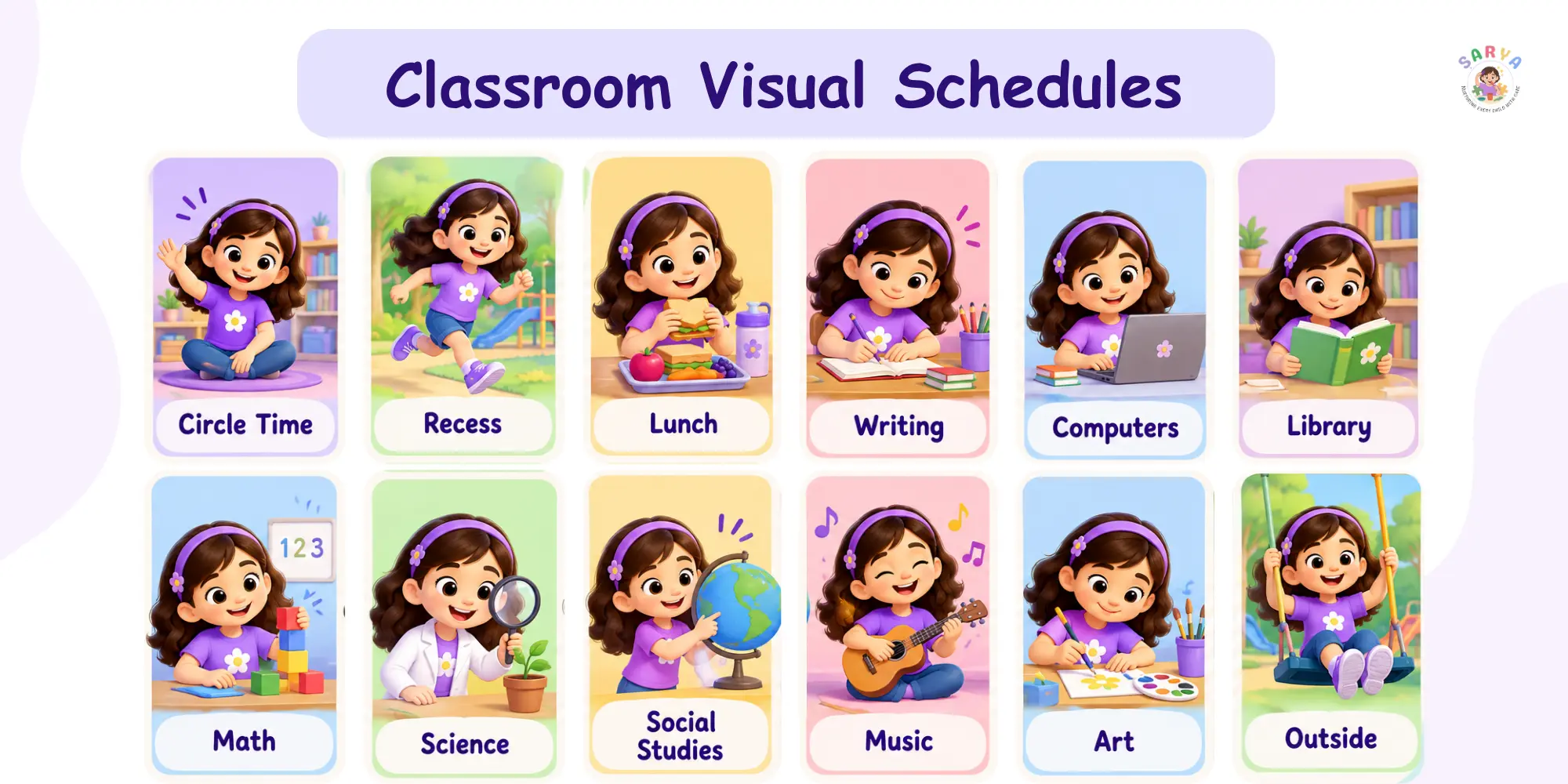
A classroom visual schedule is a sequence of pictures, symbols, photos, words, or objects that shows the order of classroom activities. It can show the whole school day, one class period, or just one routine such as arrival, circle time, lunch, cleanup, or dismissal.
In simple words, it turns time into something the child can see. Instead of hearing “After writing, we will go to lunch,” the student can look at the visual timetable and see: writing, lunch, playground, story time.
A classroom visual schedule may include:
- Photos of real classroom areas
- Picture cards for subjects and routines
- Written words for students who can read
- A first-then board for short transitions
- A digital visual schedule app
- A mini desk schedule for an individual student
CDC describes TEACCH as a classroom-based educational approach that uses consistency and visual learning, including written or drawn routines placed in clear sight.
Visual Schedule vs Visual Support vs Picture Schedule
These terms are often used together, but they are not exactly the same. A visual schedule is one type of visual support, and a picture schedule is one type of visual schedule.
A visual support can be any visual cue that helps a student understand an instruction, expectation, routine, or choice. A picture schedule uses images or photo cards to show what comes next.
Think of it like this:
- Visual support: broad category, such as labels, timers, choice boards, maps, cue cards, and schedules
- Visual schedule: shows activities or steps in order
- Picture schedule: uses pictures or photos instead of only text
- First-then board: shows one task followed by the next activity
For younger students or students with limited reading skills, a picture schedule for classroom routines often works better than a written list.
Who Benefits From Classroom Visual Schedules?
Classroom visual schedules are commonly used for autistic students, but they can support many neurodivergent learners. The real question is not “Does this student have a diagnosis?” The better question is: “Would this student understand the day better if they could see it?”
Visual schedules may help students who:
- Become anxious during transitions
- Struggle when routines change
- Need repeated verbal reminders
- Have difficulty with sequencing
- Find spoken instructions hard to process
- Need help moving from preferred to non-preferred tasks
- Have autism, ADHD, speech delay, developmental delay, or sensory needs
For ADHD, CDC notes that students often benefit when schools use clear expectations, organizational supports, breaks, movement, transition warnings, positive feedback, and close parent-teacher communication.
Why They Help Neurodivergent Students
Visual schedules reduce the pressure of remembering every instruction verbally. They also make routines more predictable, which can help students feel safer and more ready to participate.
For example, a child who resists leaving playtime may not be refusing learning. They may simply not understand what comes next. A visual cue such as “play, cleanup, snack” can make the transition clearer.
This is especially useful for students who:
- Process visual information better than spoken language
- Need extra time to shift attention
- Prefer predictable routines
- Communicate through gestures, AAC, pictures, or limited speech
- Feel overwhelmed by sudden changes
What Research Says About Visual Schedules In School
Visual schedules are widely used in autism education because they support structure, routine, and independence. The strongest evidence is for visual supports when they are individualized, taught properly, and used consistently.
The U.S. Department of Education’s ERIC record for visual activity schedules describes them as an evidence-based type of visual support that provides sequential organization for an activity or skill, especially for young children with autism spectrum disorder.
WHO also emphasizes that evidence-based psychosocial interventions can improve communication and social skills, and that support should be aligned with individual and evolving needs. This is important because no classroom strategy works the same way for every child.
Evidence-Based, But Not One-Size-Fits-All
A classroom visual schedule works best when it matches the student’s developmental level, communication style, and actual school environment. A beautiful printable chart will not help much if the student does not recognize the icons or has never been taught how to use it.
Good practice means:
- Start with a routine the child already knows
- Use pictures or words the student understands
- Teach the schedule step by step
- Keep the schedule visible
- Use it before difficult moments, not only during them
- Review and adjust based on the child’s response
A visual schedule is not a magic chart. It is a teaching tool.
Types Of Classroom Visual Schedules Teachers Can Use
Different students need different levels of support. Some children do well with a whole-class visual timetable, while others need a personal schedule on the desk, a lanyard, or a digital routine on a tablet.
Here are the most practical types teachers can use.
Whole-Class Daily Visual Schedule
A whole-class schedule shows the main activities of the school day. It is usually placed near the board, circle-time area, or classroom entrance.
Use it for:
- Morning arrival
- Circle time
- English or reading
- Math
- Snack
- Recess
- Lunch
- Art or music
- Therapy pull-out
- Pack-up and dismissal
This type supports the entire class, not only one child. It also normalizes visual learning, which makes the classroom more inclusive.
Individual Student Visual Schedule
An individual visual schedule is personalized for one student. It may sit on the desk, inside a folder, on a clipboard, or in a visual schedule app.
Use it when a student:
- Has a modified timetable
- Needs therapy sessions during class
- Needs sensory breaks
- Struggles with whole-class transitions
- Needs help completing independent work
- Needs fewer steps shown at one time
A student with sensory needs may have a personal schedule that includes “math, movement break, reading, lunch.” Another student may need a mini schedule only for the first 20 minutes of the day.
First-Then Board
A first-then board shows one required activity followed by the next activity. It is short, direct, and useful during hard transitions.
Example:
- First writing, then blocks
- First shoes, then playground
- First cleanup, then snack
- First worksheet, then drawing
This works well when a full-day visual timetable feels too much. It is especially helpful for students who need immediate clarity.
Task Analysis Schedule
A task analysis schedule breaks one routine into smaller steps. It is useful when a student knows the activity but gets stuck inside the steps.
Example for arrival routine:
- 1Put bag on hook
- 2Take out diary
- 3Keep bottle on table
- 4Choose morning activity
- 5Sit on mat
Use it for washing hands, packing a bag, lining up, using the toilet, art cleanup, handwriting setup, or lunch routine.
Digital Visual Schedule
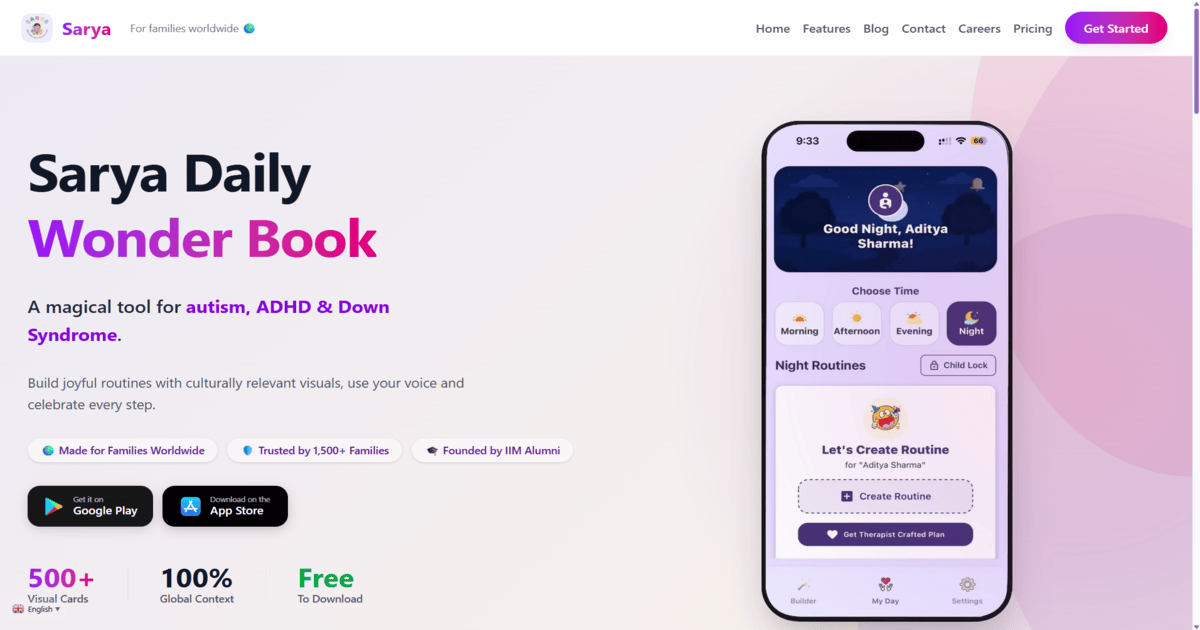
A digital visual schedule uses an app instead of loose cards. This can help when teachers or parents need flexible routines, voice prompts, custom photos, and consistency across school and home.
A tool like the Sarya visual schedule app offers a free starter plan, hundreds of visual cards, routine templates, personalized voice recordings, and support for multiple regional and international languages.
How To Create A Classroom Visual Schedule That Students Actually Use
The most common mistake is making the schedule too complex on day one. A useful classroom visual schedule should be simple enough for the child to understand and consistent enough for the teacher to use every day.
Start small, then build.
Start With One Routine, Not The Whole Day
Choose one routine where the child struggles most. Arrival, cleanup, lunch transition, or dismissal are good starting points.
For example, instead of creating a full classroom schedule immediately, start with:
- Hang bag
- Keep bottle
- Give diary
- Sit for morning work
Once the student understands the system, you can add more parts of the day.
Use Familiar Pictures Before Abstract Icons
Some students understand symbols easily. Others need real photos first. If a child does not recognize a generic picture of a classroom, use a photo of their actual classroom.
Good visuals can include:
- The student’s real desk
- The actual lunch area
- A real photo of the school bag
- A familiar teacher photo
- The actual therapy room door
- A culturally familiar food, clothing, or routine image
This is where digital tools can help. Sarya’s visual routine builder is designed around familiar, culturally relevant visuals, which can make routines feel closer to the child’s real life.
Place It Where The Student Can See And Use It
A visual schedule should not be hidden behind the teacher’s desk. It should be placed where the student can check it independently.
Options include:
- Wall schedule near the board
- Desk strip
- Folder schedule
- Velcro board
- Lanyard visuals
- Tablet-based schedule
- Small chart near the activity area
The goal is independence. If the teacher must always point to it, the schedule is still mostly adult-led.
Teach The Schedule Like A Skill
Students do not automatically know how to use visual schedules. Teachers need to model it.
A simple teaching flow:
- 1Show the card: “Now reading.”
- 2Point to the next card: “Then snack.”
- 3Help the student complete the activity.
- 4Move the card to “done.”
- 5Praise the student for checking the schedule.
- 6Gradually reduce prompts.
Over time, the child learns to check the schedule instead of waiting for repeated verbal instructions.
Add A Change Card
Classrooms change. Assemblies happen. Teachers are absent. Recess gets cancelled because of rain. A change card prepares the student for a routine shift.
Use a card such as:
- Change
- Surprise
- Different today
- New plan
- Wait
Do not use it only during a crisis. Teach it during calm moments so the student understands that change can happen and still be manageable.
Classroom Visual Schedule Examples By Age Group
The best classroom visual schedule depends on the student’s age, communication level, and independence. The same student may also need different formats for different parts of the day.
Here are practical examples teachers can adapt.
Preschool And Kindergarten
Young children usually need concrete visuals. Photos, object cues, and short picture schedules work best.
Examples:
- Arrival: bag, bottle, shoes, mat
- Toilet routine: door, pants, toilet, flush, wash hands
- Circle time: sit, song, story, choice
- First-then: first cleanup, then snack
Keep visuals large, simple, and consistent.
Primary School
Primary school students may use a mix of photos, icons, and written words. Many can follow a longer routine if it is visually clear.
Examples:
- Morning routine chart
- Subject schedule with icons
- Desk checklist for independent work
- Break card or sensory break card
- Visual timer for transitions
- Homework packing checklist
This is also a good age to build independence by letting the student move cards to “finished.”
Middle School And Older Students
Older students may prefer discreet supports. A large picture board may feel childish for some students, so written checklists or digital schedules can work better.
Examples:
- Phone or tablet checklist
- Written visual planner
- Color-coded timetable
- Digital routine reminders
- Assignment checklist
- Break or regulation plan
The format should respect the student’s dignity. A support is only useful if the student is willing to use it.
Common Mistakes Teachers Should Avoid
A classroom visual schedule should reduce confusion, not add another thing for the child to manage. If it is too busy, too abstract, or used inconsistently, students may ignore it.
Avoid these mistakes:
- Starting with a full-day schedule when the child needs only two steps
- Using icons the student does not understand
- Changing the picture style every week
- Keeping the schedule far away from the student
- Using it only after the child is upset
- Talking too much while showing the schedule
- Removing the schedule as soon as the child improves
- Forgetting to teach what “finished” means
- Using visual schedules as a punishment or compliance tool
The schedule should feel like support, not control.
Printable Schedule Or Visual Schedule App: Which Is Better?
Both can work. The right choice depends on the student, classroom routine, teacher workload, and home-school coordination.
Printable picture schedules are useful when routines are fixed and the teacher needs something low-cost and hands-on. A visual schedule app works better when routines change often, when audio prompts help, or when parents and teachers want the same routine language.
When Printable Cards Are Enough
Printable cards are a good choice when:
- The routine stays the same
- The student likes touching and moving cards
- The class has a fixed schedule
- The teacher wants a wall display
- Internet or devices are not available
For example, a laminated arrival routine near the classroom door can work beautifully.
When A Visual Schedule App Is Better
A visual schedule app is useful when:
- The child needs personalized voice prompts
- The student uses routines at school and home
- The teacher wants to update routines quickly
- The child responds better to digital visuals
- Parents want to continue the same steps after school
- Multiple routines need to be tracked
With Sarya, teachers and parents can build visual routines using cards, voice prompts, and familiar routine steps. For a deeper parent-focused guide, you can also explore Sarya’s existing guide on visual schedule for autism.
How Sarya Helps Connect Classroom And Home Routines
Many students do better when the routine language at school and home feels connected. If school uses one system and home uses something completely different, the child may need to learn the same routine twice.
Sarya can help bridge that gap by making routines visual, repeatable, and easier for families to continue outside the classroom.
Teachers and parents can use Sarya for:
- Morning school preparation
- Homework setup
- After-school decompression
- Therapy routine practice
- Bedtime after school days
- Packing bag for the next day
- Daily living skills such as brushing, dressing, and toileting
Sarya is especially useful for autistic, ADHD, and neurodivergent children who benefit from visual routines, voice guidance, and familiar images. It supports personalized voice recordings and multiple languages, which can help children hear instructions in a familiar voice or native language.
Start with one classroom routine in [Sarya](https://thesarya.com/), then share the same routine with the family for home practice.
When Teachers Should Involve Parents Or Therapists
A classroom visual schedule can support learning, but it cannot diagnose autism, ADHD, speech delay, sensory processing concerns, or developmental delay. If a student shows persistent communication, sensory, behavioural, attention, or learning difficulties, the teacher should document observations and speak with the family.
Parents may benefit from professional guidance if the child:
- Has frequent distress during transitions
- Is not understanding classroom routines
- Has major speech or communication concerns
- Shows sensory overwhelm in daily school tasks
- Struggles with attention, sitting, handwriting, or self-care
- Needs support beyond classroom strategies
For therapy-led support, teachers and families can explore Aaryavart’s Autism Therapy, Autism Treatment, Speech Therapy, Occupational Therapy, and ABA Therapy services. Aaryavart describes support across assessment, ABA-based intervention, speech therapy, OT, sensory therapy, parent training, early intervention, and home programs. (aaryavart.org)
Final Takeaway For Teachers
Classroom visual schedules work best when they are simple, visible, personalized, and taught consistently. They help students see what is happening now, what comes next, and how to move through the school day with more confidence.
If you are a teacher, start with one routine. If you are a parent, ask the teacher which classroom transition is hardest. Then build one shared visual routine in Sarya so the child gets the same supportive structure at school and at home.
A visual schedule will not solve every classroom challenge, but it can make the day clearer. For many neurodivergent students, that clarity is the first step toward participation, independence, and calmer transitions.
Classroom Visual Schedules FAQs
What is a classroom visual schedule?
A classroom visual schedule is a visual timetable that shows students what activities will happen and in what order. It may use pictures, photos, symbols, written words, or objects.
How do visual schedules help autistic students in school?
Visual schedules help autistic students understand routines, prepare for transitions, and reduce reliance on spoken instructions. CDC notes that classroom-based educational approaches such as TEACCH use consistency and visual learning, including written or drawn routines placed in clear sight.
Are visual schedules useful for ADHD students?
Yes, many ADHD students benefit from predictable routines, transition warnings, organizational tools, breaks, and clear expectations. CDC lists these kinds of classroom supports as helpful for students with ADHD.
What is the difference between a visual schedule and a first-then board?
A visual schedule shows several activities or steps in order. A first-then board shows only two steps: what the student does first and what comes next.
Should I use photos, icons, or written words?
Use what the student understands best. Younger students and concrete learners may need real photos. Older students may prefer icons, written words, or a digital checklist.
Can a whole class use one visual schedule?
Yes. A whole-class visual schedule can support all students and make routines easier to follow. Some students may still need a personal schedule for extra support.
When does a student need an individual visual schedule?
A student may need an individual schedule if they have therapy pull-outs, sensory breaks, a modified routine, difficulty with transitions, or need fewer steps shown at one time.
Do visual schedules reduce meltdowns?
Visual schedules may reduce distress related to uncertainty or transitions, but they do not prevent every meltdown. They should be used as part of a supportive plan that considers communication, sensory needs, sleep, health, and emotional regulation.
Can I use a visual schedule app instead of printable cards?
Yes. A visual schedule app can be helpful when routines change often, when voice prompts support the child, or when parents and teachers want consistent routines across school and home.
When should a teacher suggest therapy support?
A teacher should speak with parents if a child has ongoing communication, sensory, behavioural, attention, learning, or daily routine difficulties. Families can then consult qualified professionals for assessment and individualized guidance.
Archana Pandey
Sarya Team Member